Case Study
Figma Reference Finder
Semantic search across ~40,000 design frames, conceived, designed, and built with AI.
The Problem
Designers were spending hours searching for their own work.
At a large enterprise with six design teams, hundreds of Figma files, and years of accumulated design work, there was no way to search across it. Finding a reference meant knowing where it was, or clicking through folders until you gave up.
The trigger: an urgent request from my design manager, references needed for an RFP, fast. Hours of manual searching later, I realized this wasn't a one-time problem. It was a system problem.
My role Identified the problem · Designed the concept · Built the tool with AI · Rolled it out to the team
The Insight
Don't solve the request. Solve the class of problem.
What was asked
"Help me find references for this RFP."
One person. One deadline. One search.
What I heard
"Our design knowledge is unsearchable."
Six teams. Years of work. Every designer, every week.
The vision A search box for our entire design library, type what you need in plain language, get the best matching screens in seconds.
My Approach
I didn't use an AI tool. I built an AI team.
A multi-agent system inside Claude Code: one orchestrator directing five specialist subagents, each with a defined role.
The approach I direct the leader. The leader delegates. Each agent stays in its lane. Judgment stayed with me.
The Challenges
The data was unsearchable.
Most design frames have meaningless names like "Frame 42". Search them, and you get garbage.
The solution AI names the screens designers never did, so nothing is invisible to search.
People don't search with our words.
Someone searches "receipt," but the screen is named "Payment Confirmation." A miss, even though it's exactly right.
The solution AI gives every screen the words real people would actually search for.
What I Built
Semantic search for ~40,000 design frames.
Phase 1, Indexing (one time)
Phase 2, Searching (every query)
Built with React · Node.js · vision AI · vector database · Figma API · deployed via Docker
The Product
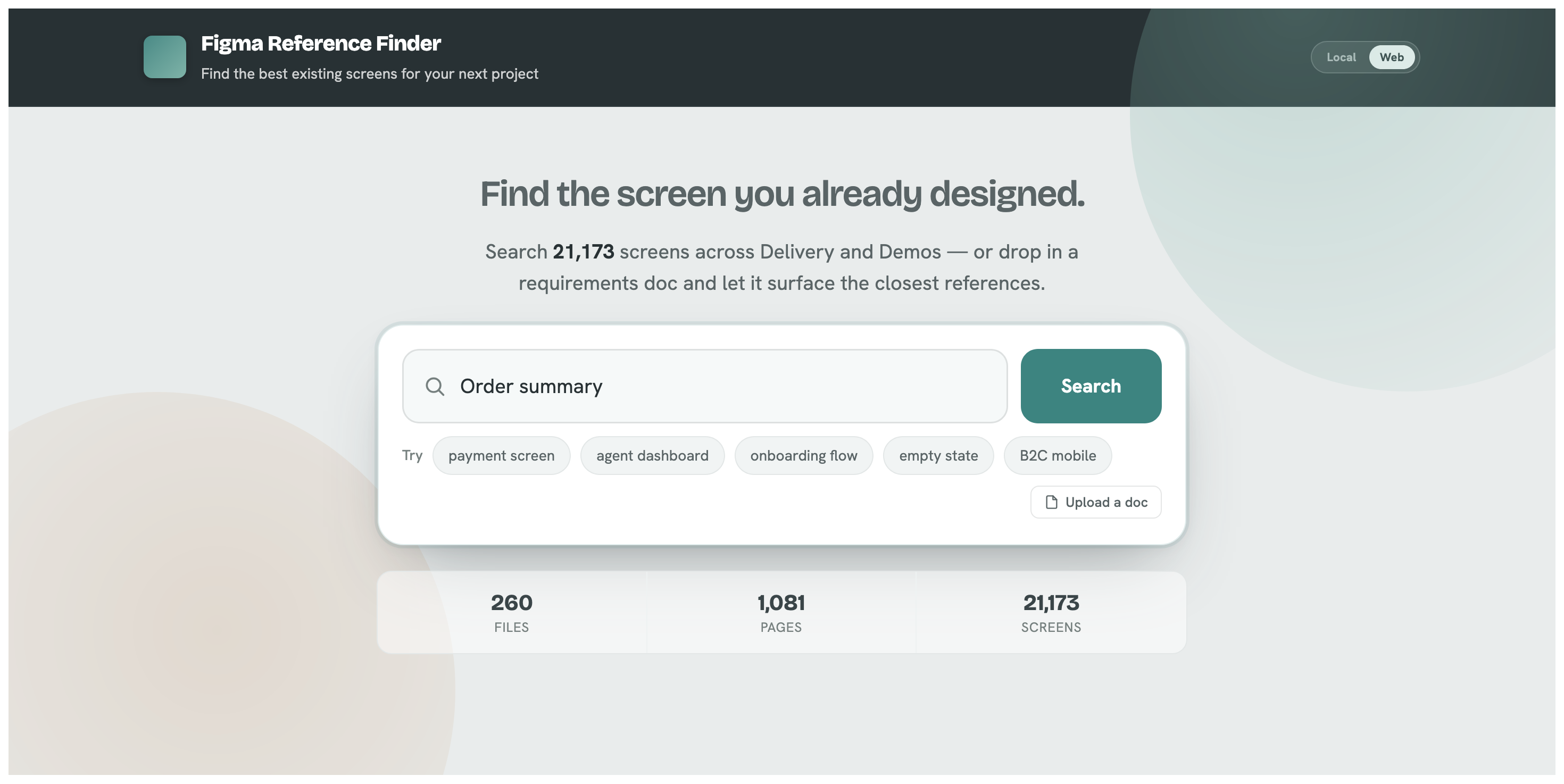
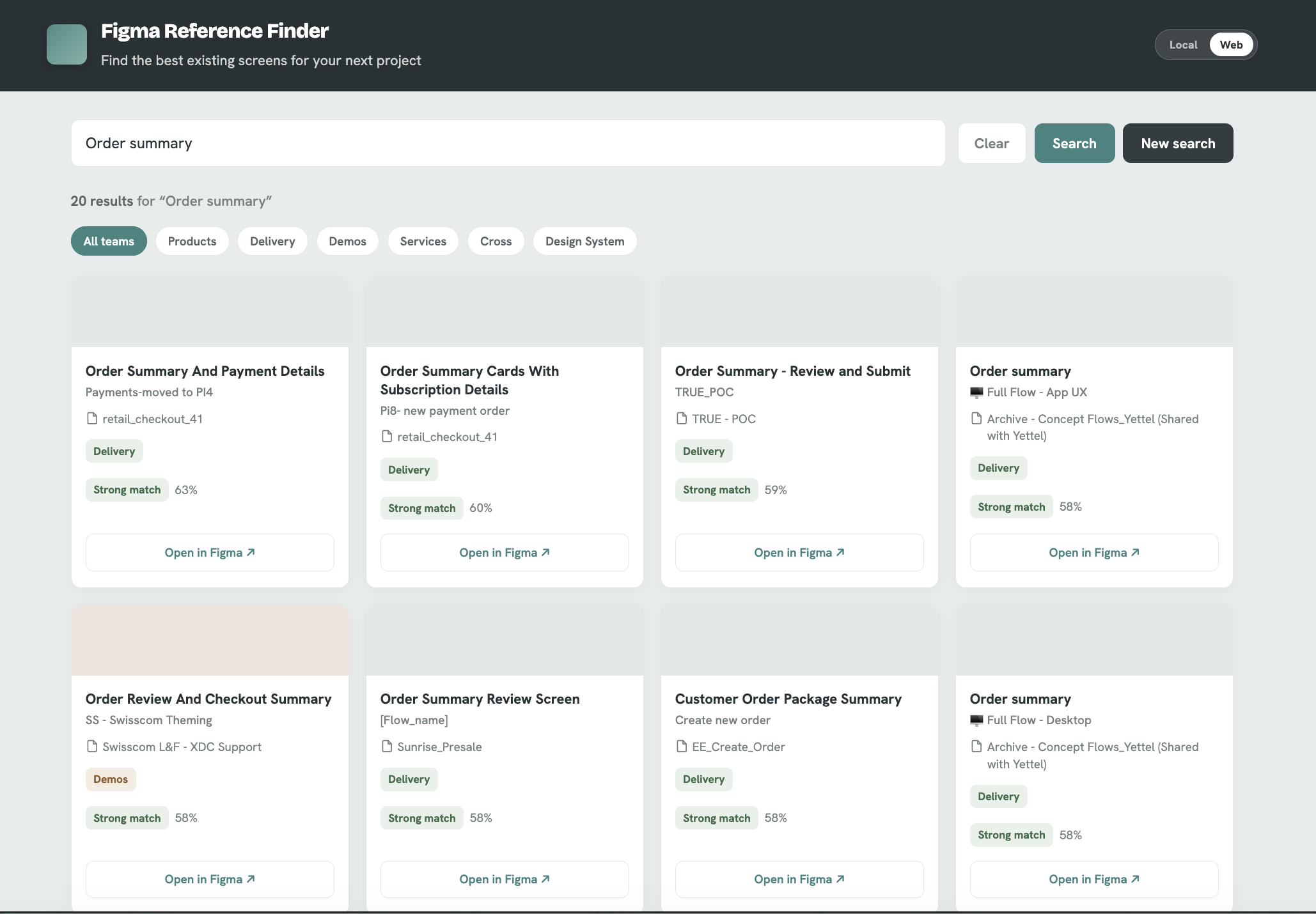
The Challenges
It lived on my laptop.
A tool only one person can run isn't a team tool. To matter, it had to be something anyone could open.
The solution I shipped it, from a prototype on my desk to a live tool the whole team can use.
Impact
People used it before it was even a product.
It never left my laptop, yet teammates started coming to me to find their references through it. No deployment. No rollout. No announcement. Just a draft tool that solved a real problem, and word spread on its own.
people sought it out unprompted
results were good enough for real deliverables
clear signal to deploy for the whole team
The takeaway The best validation isn't a metric. It's people using your unfinished work because they need it.
The Evolution
Then I pushed it further. I gave it the whole document.
The search box stayed exactly where it was. The document upload sits underneath it, using the same index behind both.
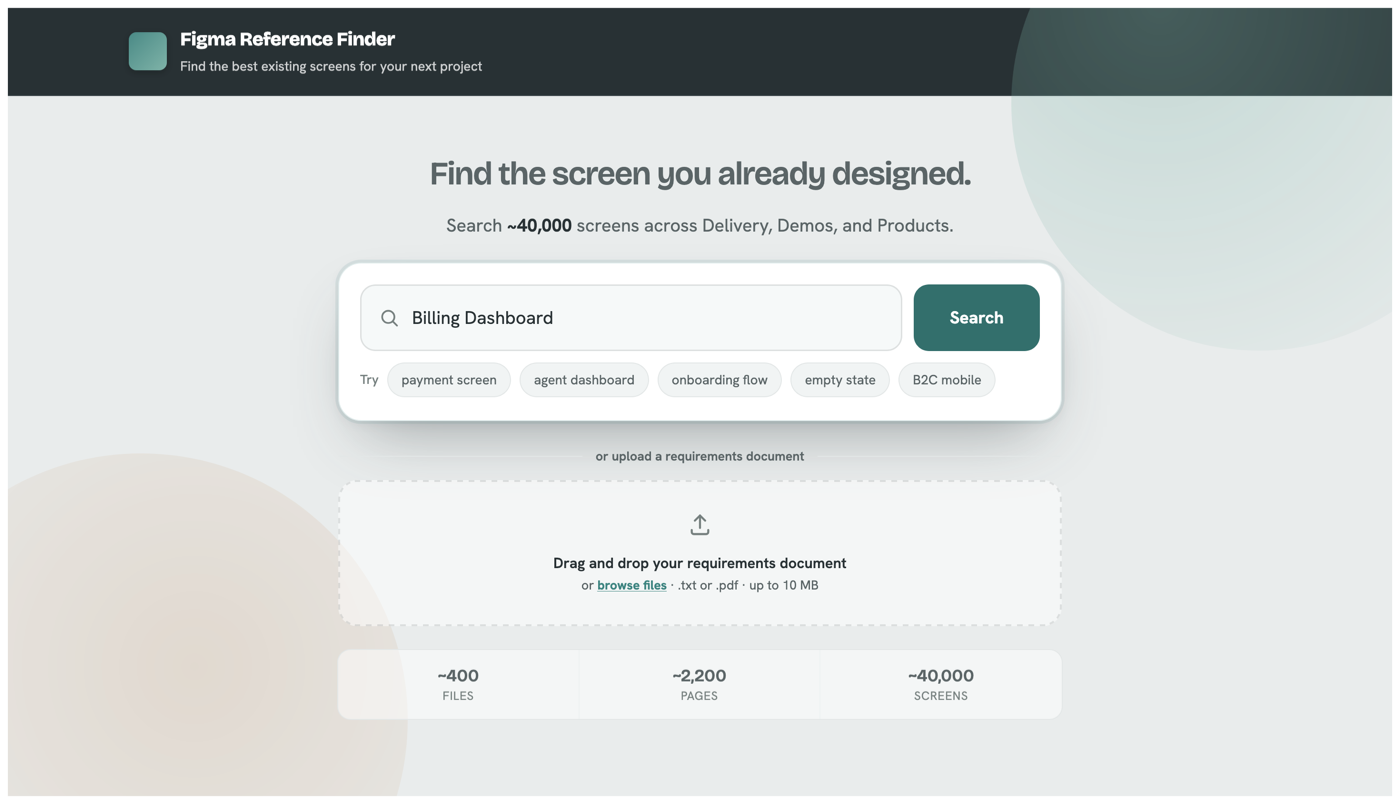
The addition Drop in a requirements document instead of typing one query at a time.
The Evolution
One question at a time wasn't the job.
Real design work does not arrive as a single question. It arrives as a requirements document with a dozen needs inside it. Answering one meant reading a need, turning it into a query, judging the results, then starting over.
The trigger: a requirements document landed for a project I was working on. I could search it need by need, or I could hand the tool the whole document.
The approach I did not rebuild the engine. I built a new way into it. The AI handles understanding and judgment. Retrieval stays plain vector search.
The Evolution
The document breaks down before the first search runs.
Every need is extracted and listed up front, each reporting its own status as the searches complete.
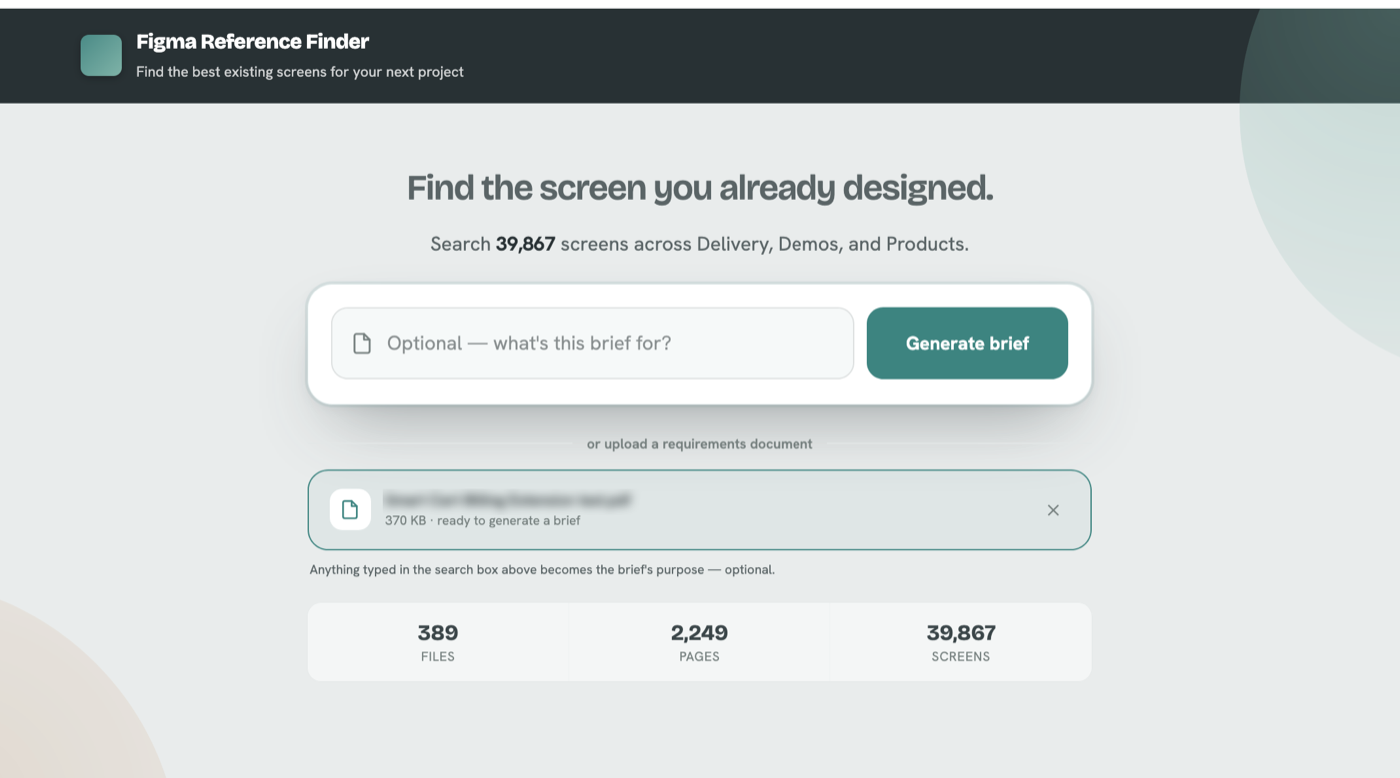
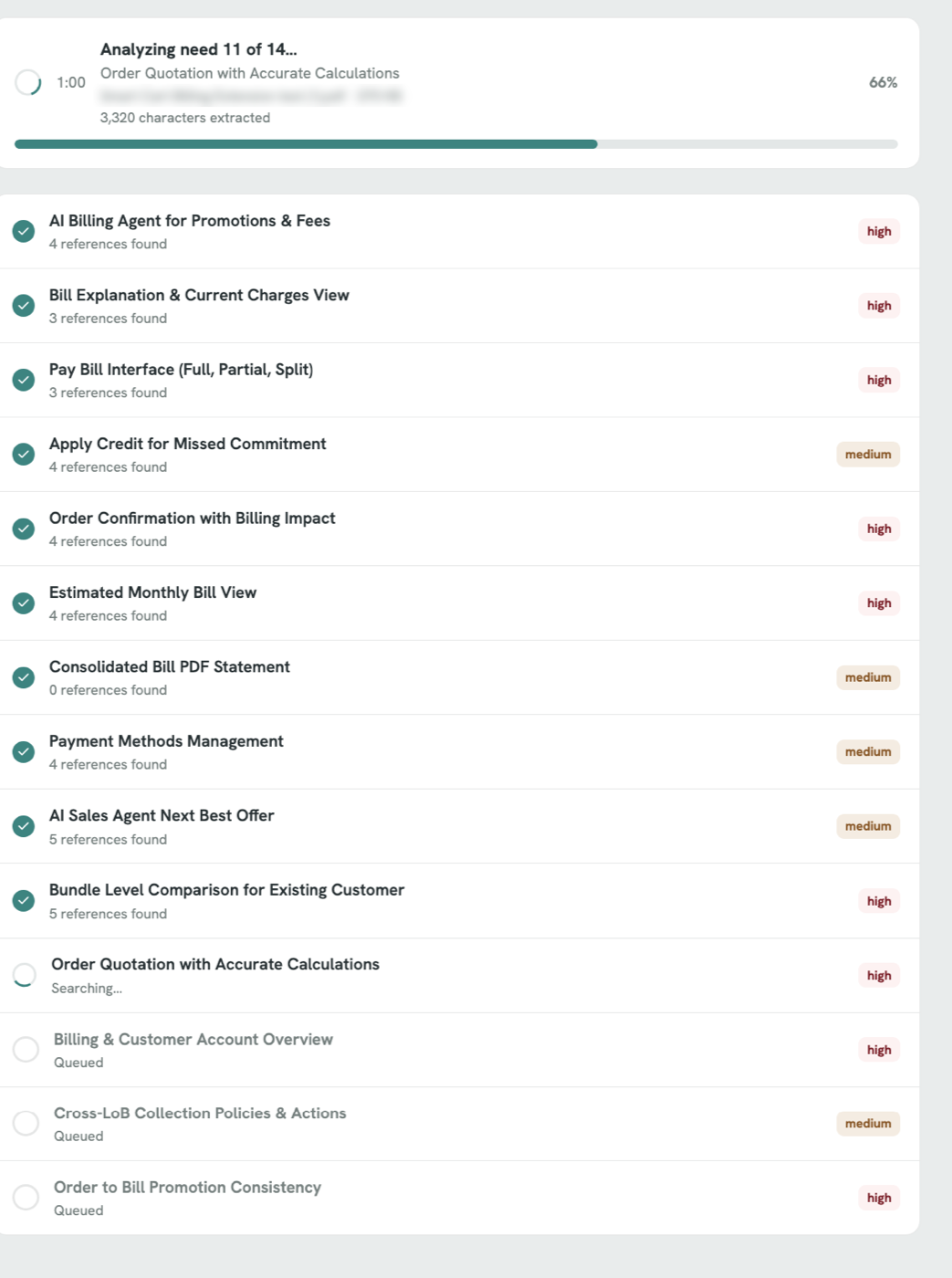
- Every need listed before the first search starts
- Each need reports its own status independently
- Reference counts appear as each one resolves
The detail A long job with no visible progress feels broken. Every need reports for itself.
The Evolution
One document in. A reference brief out.
Every need in the document comes back with its own ranked set of references.
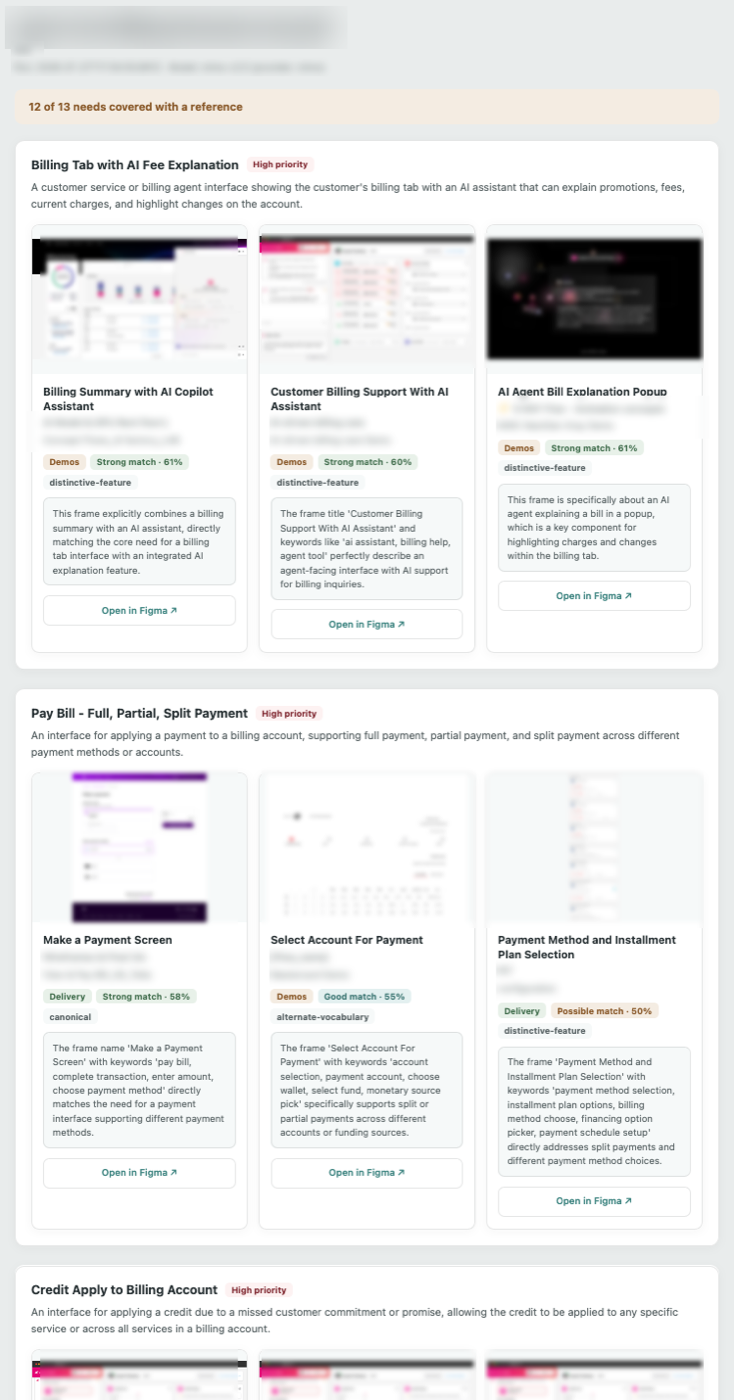
- The need, restated in plain language
- Three ranked references
- A match band: Strong 58%+, Good 51 to 57%, Possible below
- A written reason for every pick, and a direct link into Figma
The takeaway A score tells you there is a match. A reason tells you whether to use it.
Leadership & Evangelism
I didn't just build it. I brought the team with me.
Taught the team
Ran a session for fellow designers, not on the tool, but on how to build with AI themselves. Demystified Cursor for non-developers.
Shared the method
Turned my workflow into something repeatable: how to set up, how to prompt, how to think about AI as a collaborator rather than a black box.
Improved team practice
Fed a lesson back to the team: naming design frames well isn't housekeeping, it directly determines whether work can be found.
Why it matters A lead multiplies their impact through others, not just through what they personally ship.
A design problem.
An AI team.
A shipped product.